Run your business.
Not your paperwork.
Estimates, invoices, scheduling and clients — everything your service business needs, in one simple workspace.
No credit cardWorks on phone, tablet and computerYour logo on every document
- Handyman
- General contractors
- Plumbing
- Electrical
- HVAC
- Painting
- Remodeling
- Landscaping
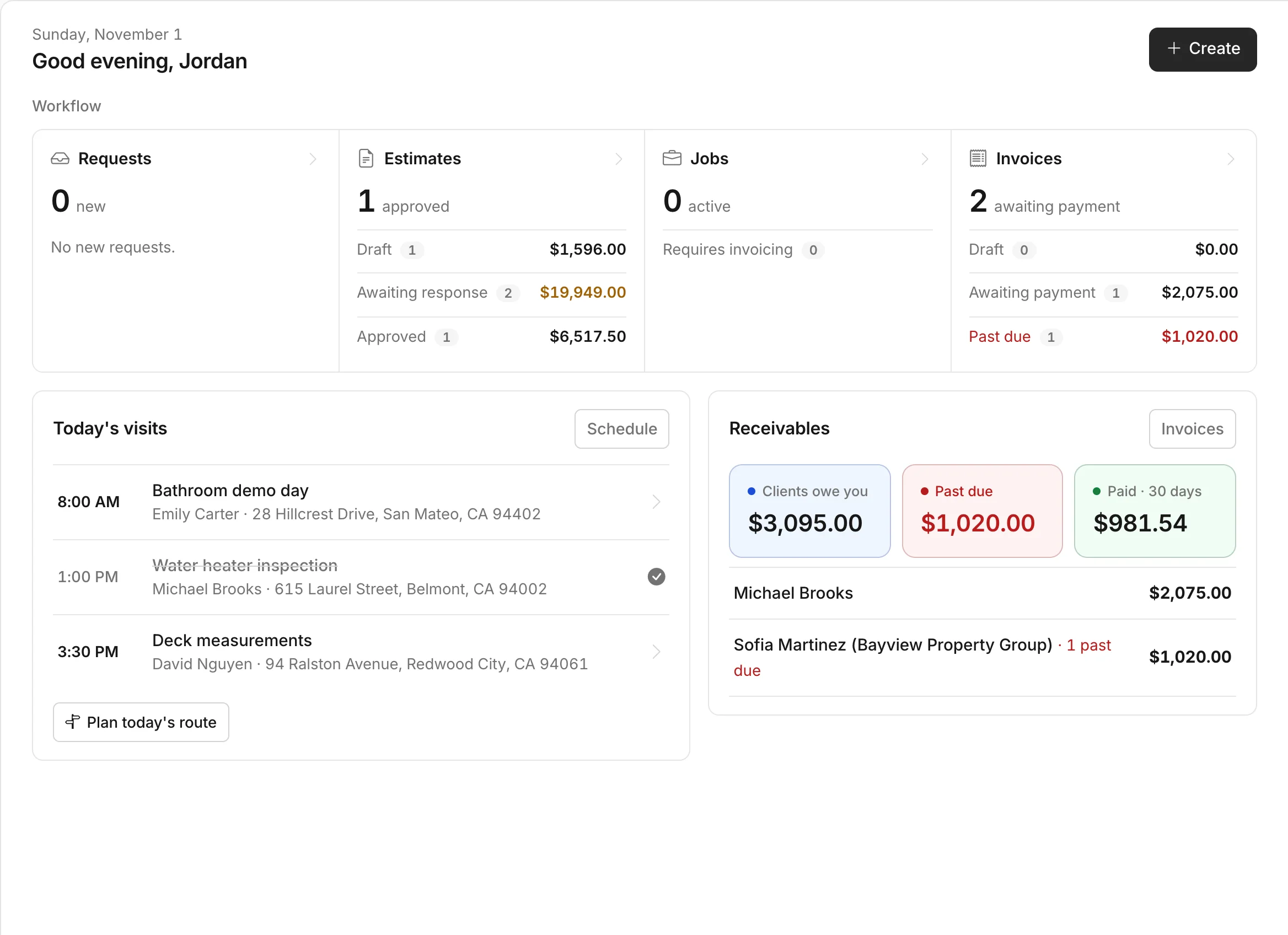
Every part of the job, on one screen.
From the first estimate to the final payment, your work stays organized and your clients always know what's next.
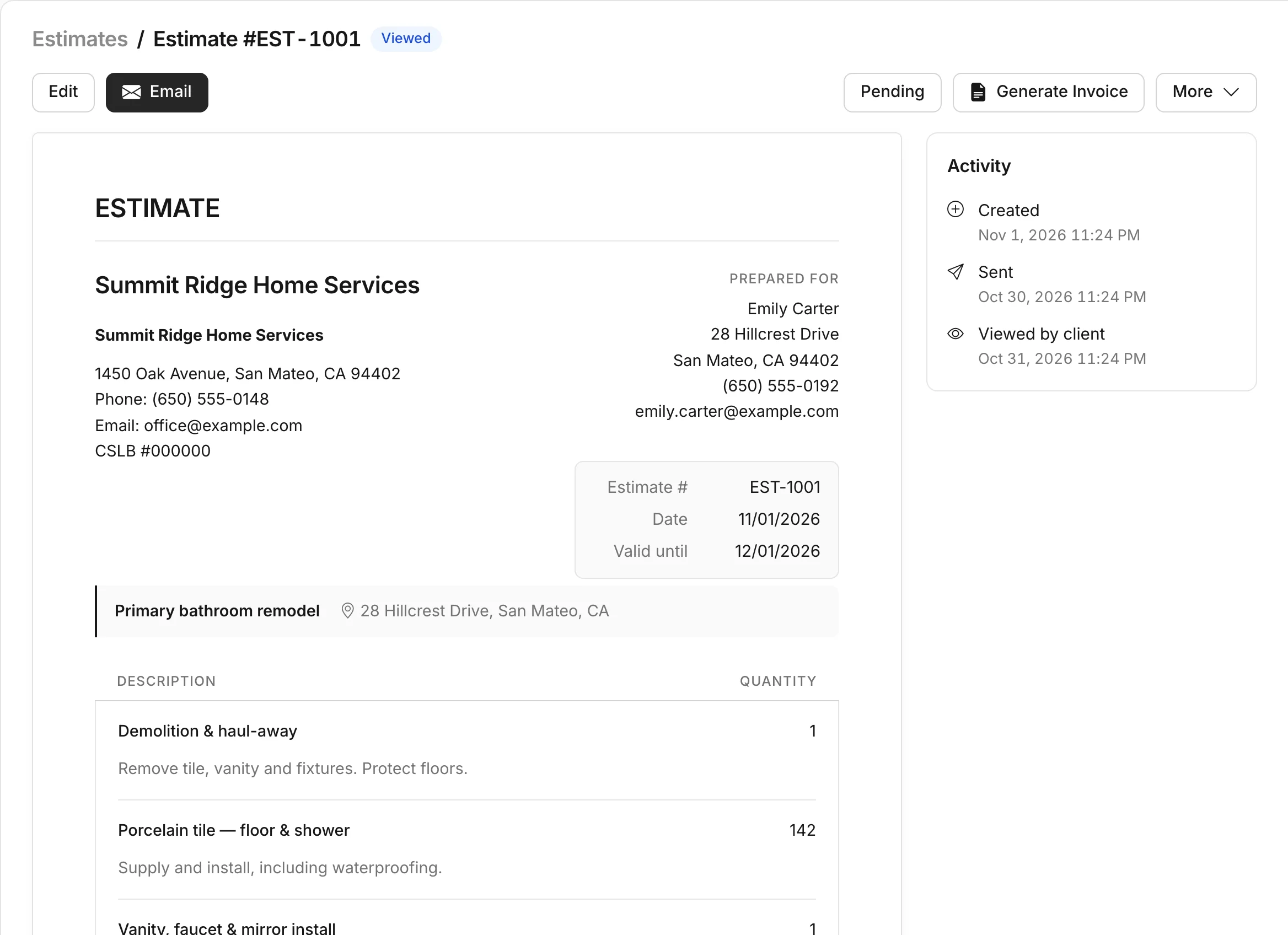
Estimates clients approve on their phone
Build a professional estimate from your saved items, send one link, and see when it's opened and approved.
- E-signature and online approval
- Optional items clients can add
- Deposits and payment schedules
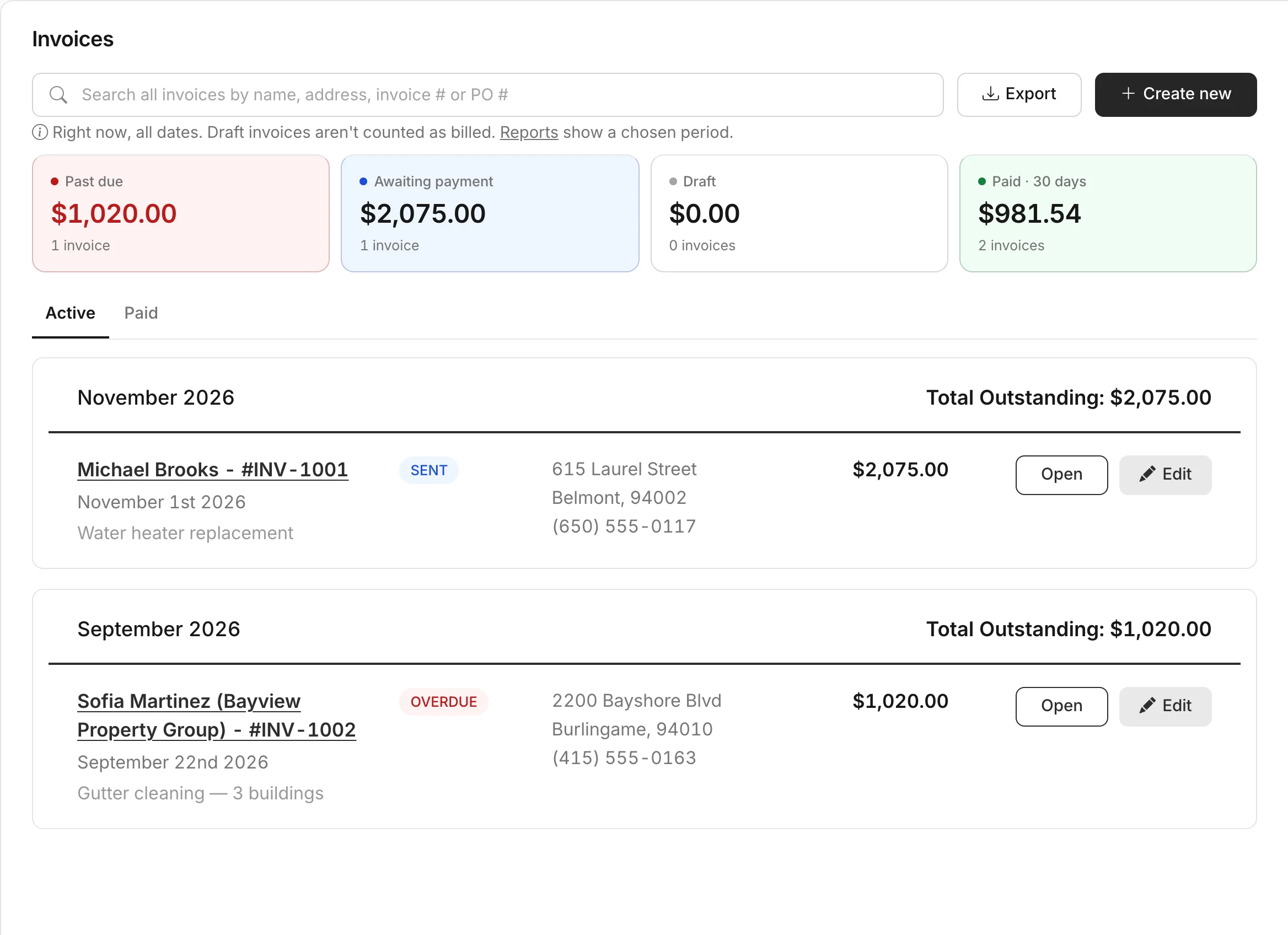
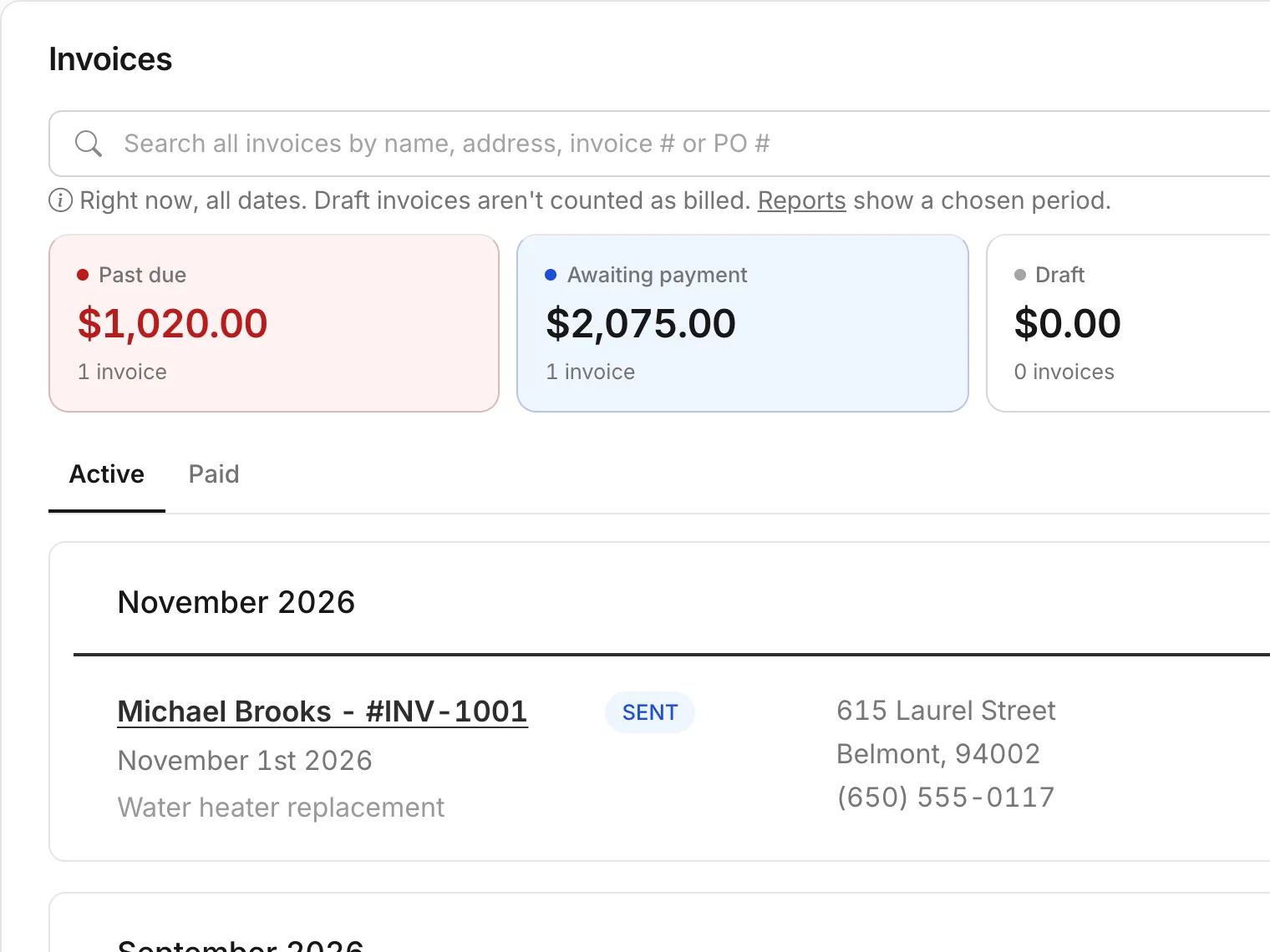
Invoices that follow up for you
Turn an approved estimate into an invoice in one click. Know exactly who owes what and what's past due.
- Card payments through your own Stripe account
- Automatic payment reminders
- Partial payments and balance due
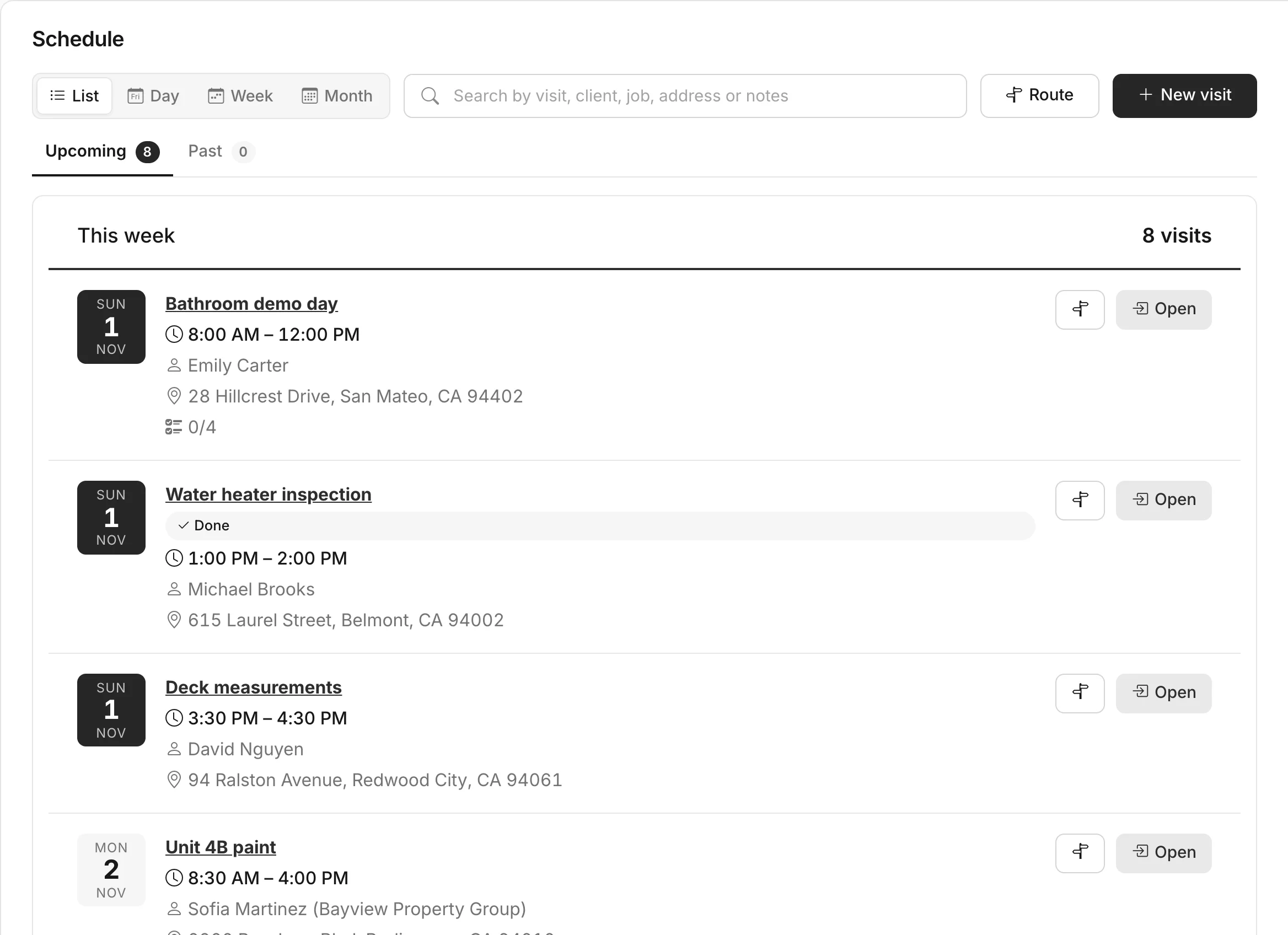
A schedule your whole team can follow
Book visits, assign your team and let clients get reminders before you arrive.
- List, day, week and month views
- Checklists and photos on every visit
- Best driving route for the day
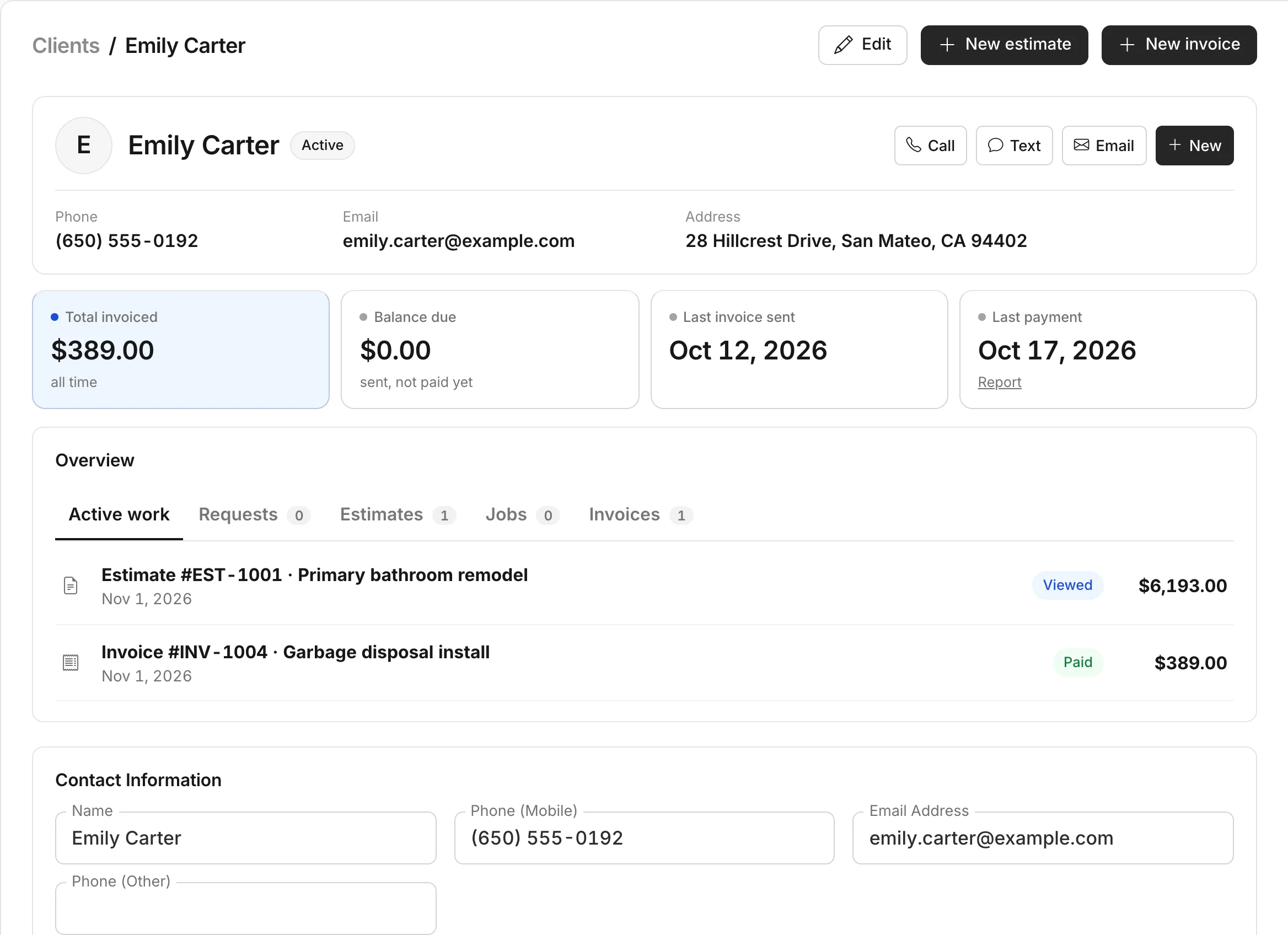
Every client, with their whole history
Contacts, properties, estimates, invoices and visits together — so you never search through texts and emails again.
- Multiple properties per client
- A private client hub link
- Private notes and tags
Built around how service work actually happens.
Win more jobs
Answer fast and look professional from the first contact.
- RequestsA request form for your website and social pages.
- EstimatesSaved items, markups, photos and optional upgrades.
- Client approvalClients review, sign and approve online.
- Follow-upsAutomatic reminders for unanswered estimates.
Run the work
Keep every job, visit and person on the same page.
- SchedulingVisits, client reminders and route planning.
- JobsOne-time and recurring work, with job costing.
- ClientsContacts, properties and a private client hub.
- TeamOwner, manager and field-worker access.
Get paid
Send invoices faster and always know what's owed.
- InvoicesFrom an estimate or a finished visit in one click.
- Online paymentsCard through Stripe, plus PayPal and Venmo.
- Payment remindersPast-due invoices follow up by themselves.
- ReportsRevenue, receivables, win rate and sales tax.
From estimate to paid, in four steps.
-
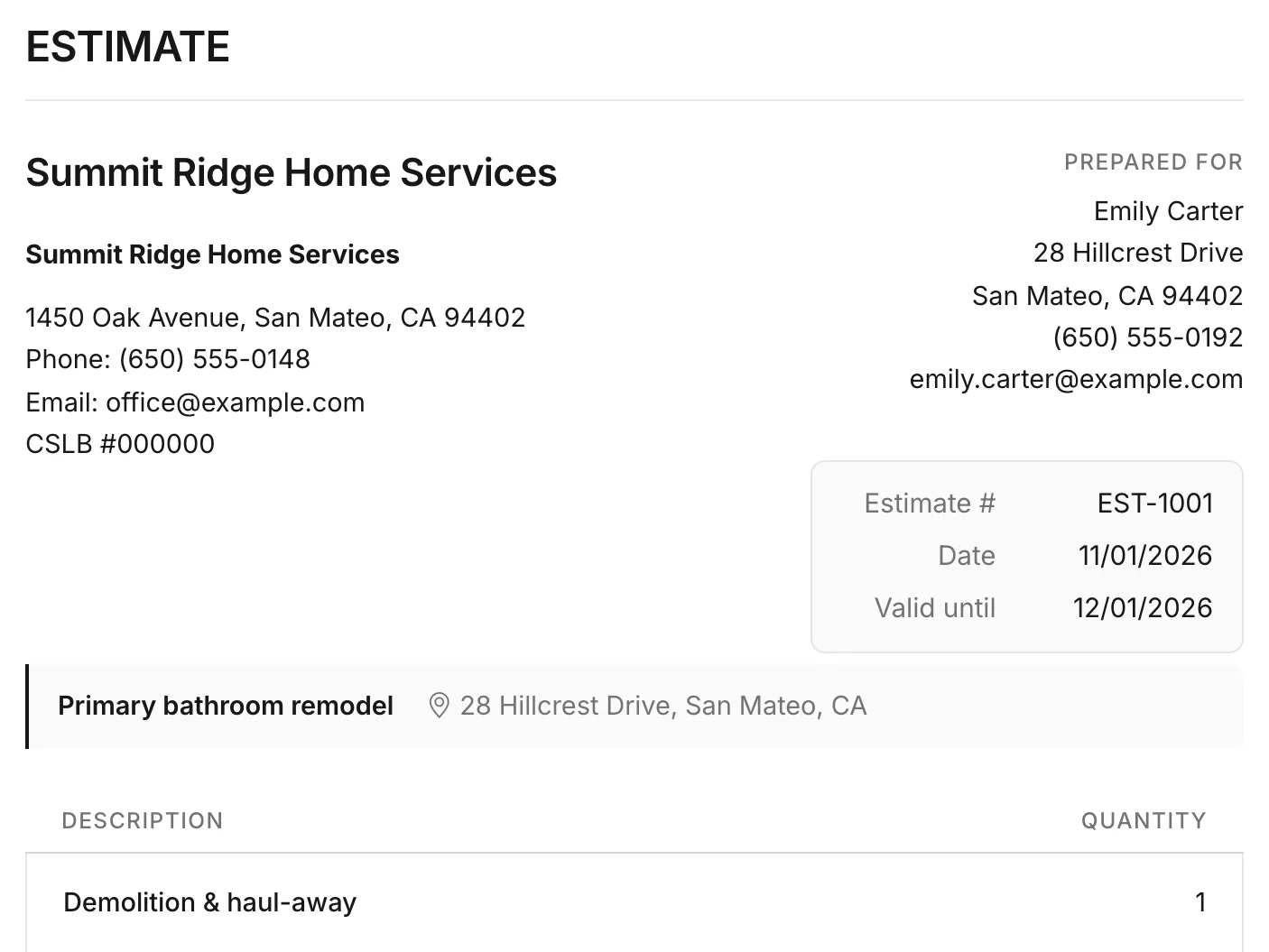
Create an estimate
Pick the client, add items from your list and save.
-
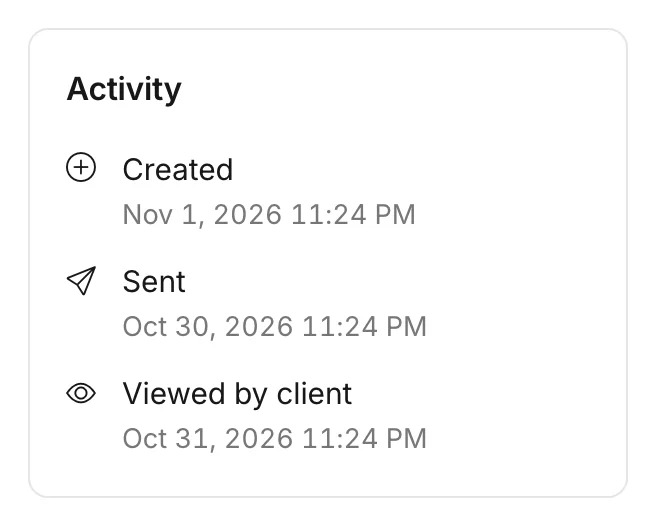
Get it approved
Send one link. You see when it's viewed and approved.
-
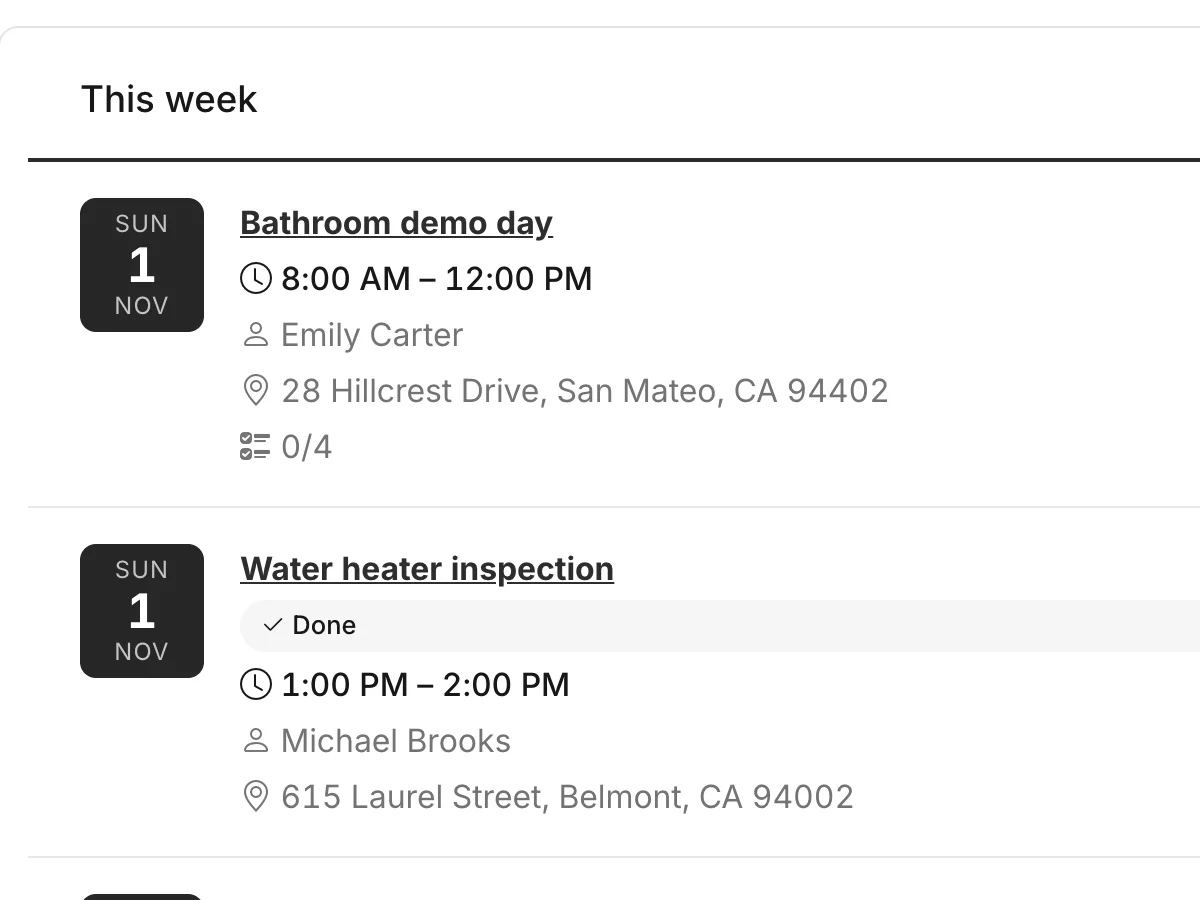
Schedule the work
Book the visits and send your team with a checklist.
-
Invoice and get paid
Convert in one click. Reminders follow up for you.

“After years of using other tools to manage our business, we realized we needed a platform that truly fit the way we work. We built Mstr. Pro out of that necessity bringing estimates, invoices, jobs, scheduling, and client management into one place. It started as a solution for our own company, and we believe it can make a real difference for other businesses too.”The Mstr. Fix It team, San Bruno
Questions, answered.
Do my clients need an account or an app?
No. They open the link you send by email or text and can view, download, approve and sign right in their browser.
Can my team use it?
Yes. Each person gets their own login. Choose owner, manager or field worker — or exactly which areas they can open.
Does it take card payments?
Yes. Connect your own Stripe account by logging in, and clients pay invoices by card, Apple Pay or Google Pay. You can also add PayPal and record cash, check or Zelle payments.
Does it work on my phone?
Yes. Mstr. Pro works in any modern browser on iPhone, Android, tablet or computer.
I use Joist today. Can I bring my data?
Yes. Import your items, clients, estimates and invoices from Joist. Importing the same file again never duplicates anything.
Who can see my clients and prices?
Only your company's users, and only the areas you allow. Each business has its own private space.
Why does my account need approval?
New accounts are reviewed before the first sign-in — usually within one business day. You'll get an email as soon as yours is ready.
A simpler way to run your business.
Send your first estimate today. Free while Mstr. Pro is in beta — no credit card.